

Manage
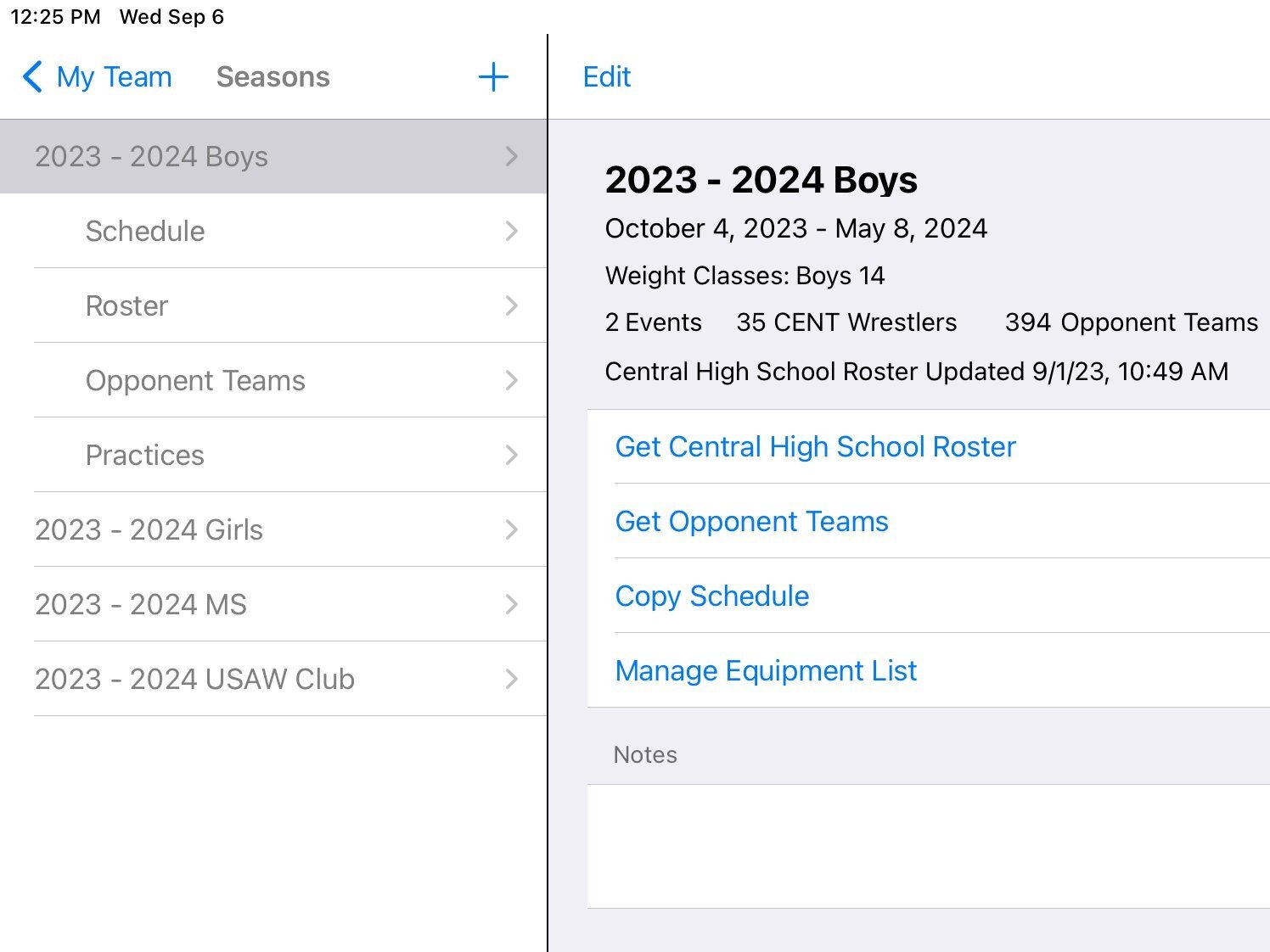
One account runs every team in your program. Seasons keep boys, girls, middle school and club separate, each with its own schedule, roster, opponents and weight classes.
Seasons
Create and customize Seasons for each of your teams. Each Season has its own schedule, roster, list of opponent teams, weight classes (NFHS, state-specific or custom) and associated scoring and video data.
Use a separate Season for each of your boys, girls, middle school and club teams, all under one account. Or keep Varsity, JV and other levels in one Season: turn on competition levels for that Season and tag each Event with its level, so reports still split them out. Competition levels are optional; leave them off if you don’t need them. Archive old Seasons to shorten the list and restore them any time.
Schedule
Schedule as many events as you’d like: dual meets, tournaments, dual meet tournaments and USA Wrestling tournaments, including multi-day events. Each Season has its own schedule, which can be created from scratch or copied from another Season to save time.
Every Event has a location that’s a tap away from Apple Maps or Google Maps, and the whole schedule can be shared as a calendar.

Roster
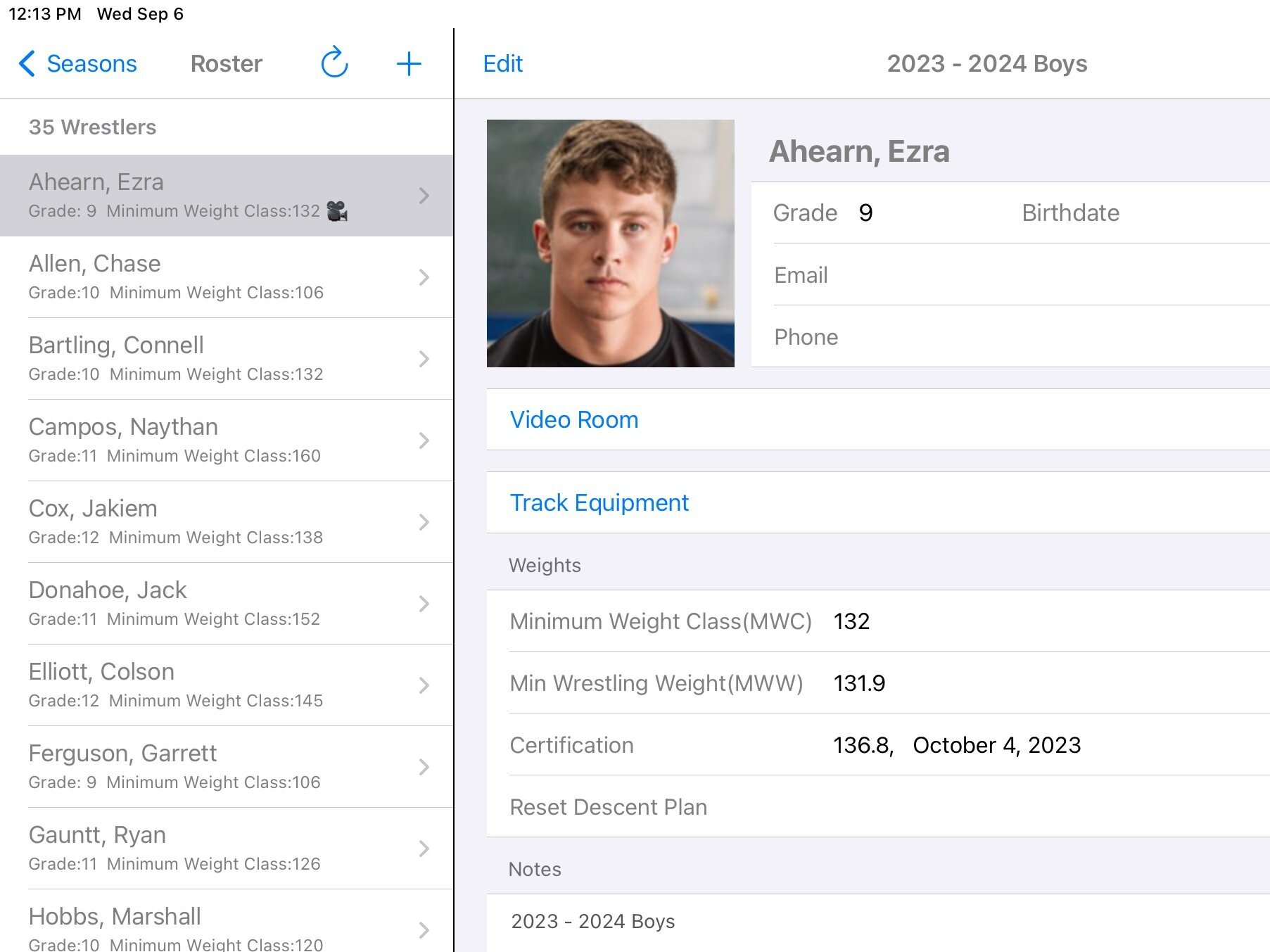
Roster Sync keeps your roster current on its own. Subscribe to your team once in our online database of over 30,000 teams from Trackwrestling, USA Bracketing and USA Wrestling, and every change reaches your Roster automatically.
Add a photo of your wrestlers to help new managers identify athletes and create rich content. Email, phone number, certification info, parents and guardians — all necessary information about your athletes in one place.
Opponent teams
Subscribe to opponent teams in our online database one at a time or a whole state at once, and Roster Sync keeps their rosters current too. Don’t know which teams will be at the tournament? Add the entire state. You can also copy from another Season, import from a spreadsheet or enter teams manually.
Search opponents by name, short name or state. Add a team’s logo from the database with one tap, and open any opponent’s address in Apple Maps or Google Maps.

Contacts and team roles
Keep everyone around your program in one place: coaches, parents and guardians, the athletic director, media. Give each contact a team role, and Takedown knows who should get what.
Add parents and guardians on each wrestler’s Roster entry, or import them all at once from a spreadsheet.
Contacts, team roles and group email · Importing parent contacts
Practices
Schedule practices with a start and end time, repeating weekly for the whole Season. Each practice holds its plan, attendance and weigh-ins, and appears on the shared Season calendar.
Equipment
Track issue and return dates for team assets to better manage inventory and keep costs down. Loaned equipment that is never returned imposes an unnecessary financial burden on your team’s supporters. See who hasn’t returned their equipment at season’s end.
