

Analyze
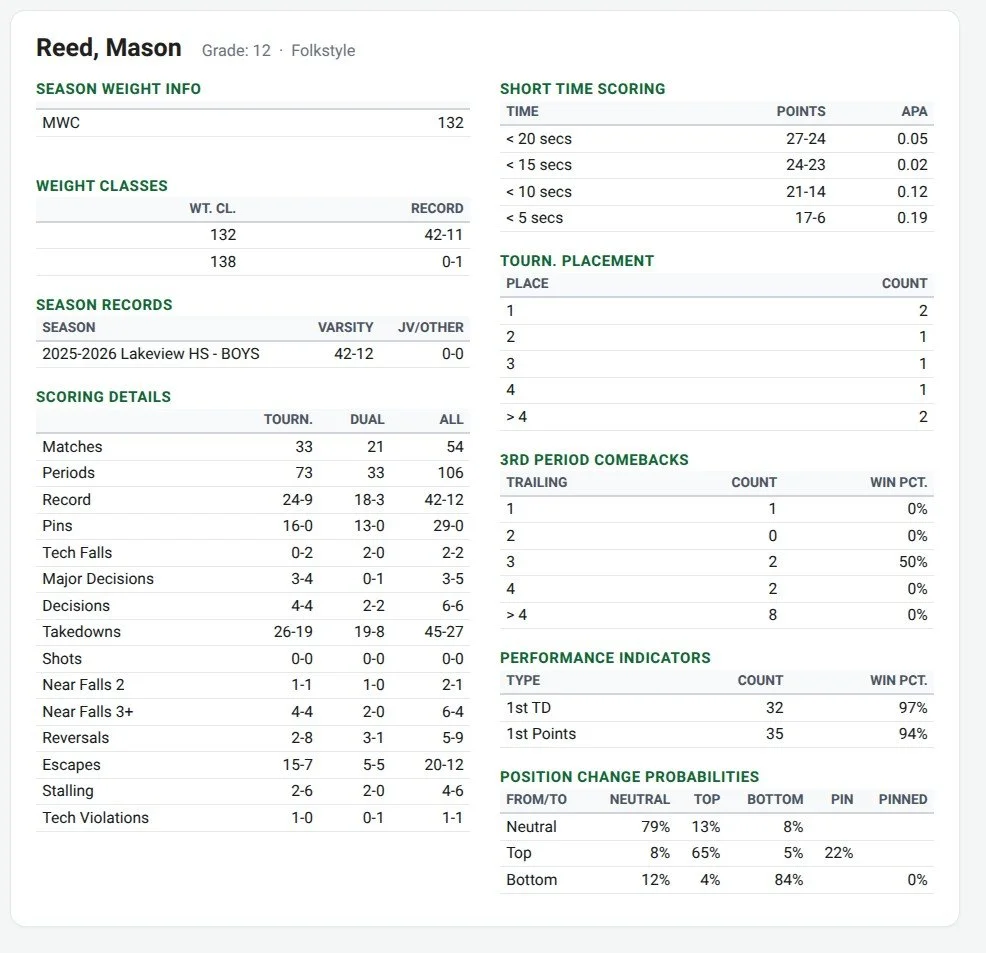
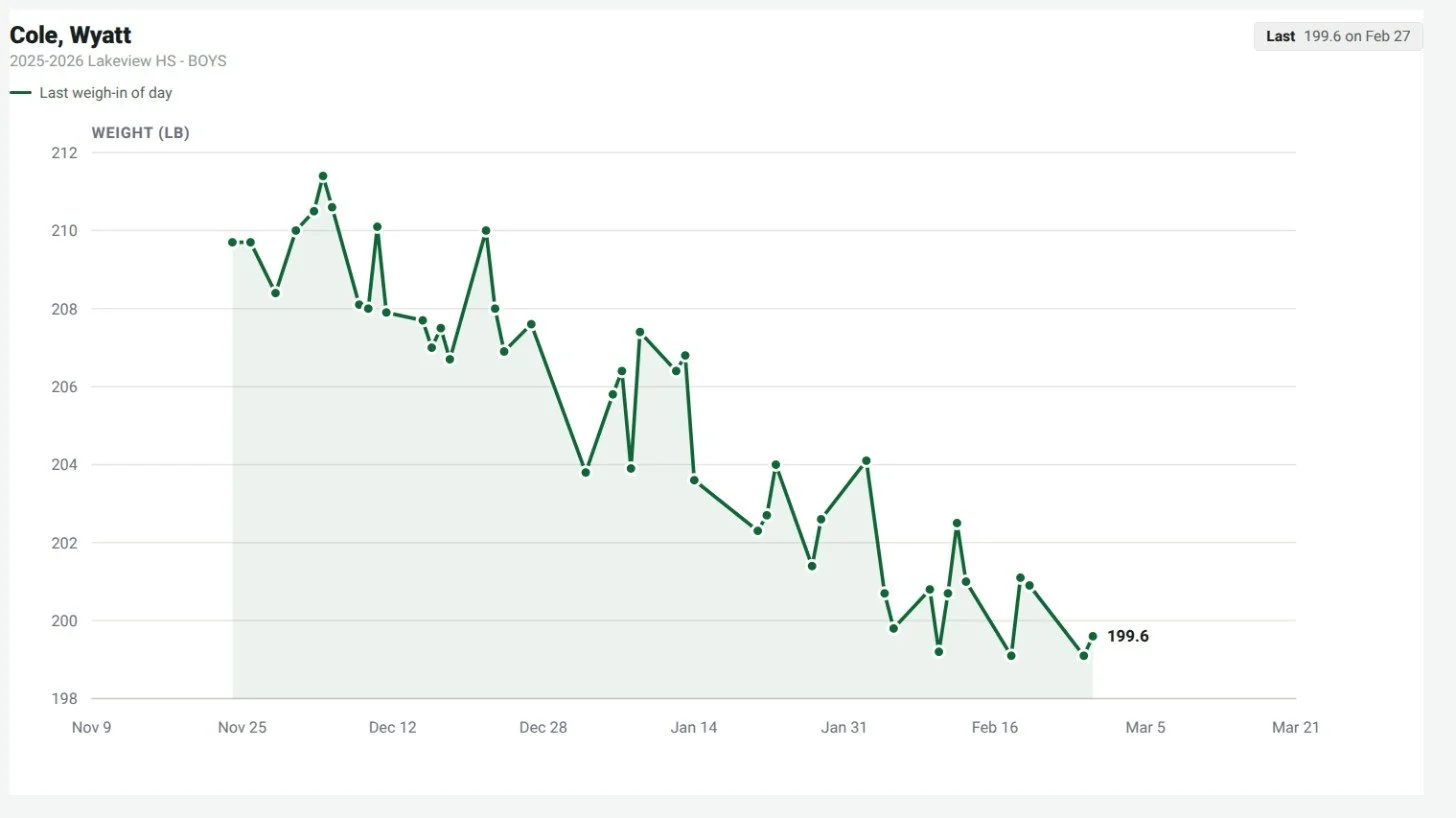
Accurate scoring produces something useful on the other side: statistics you can coach from, video you can navigate by scoring event, and weight data that shows whether an athlete is descending safely.
Statistics
One by-product of accurate digital scoring is a full set of statistics, from the Scorebook and Box Score to the Leaderboard, Wrestler Profile and Seeding Meeting report. On the iPad, no internet connection is required.
If your Season uses competition levels, filter reports by level (Varsity, JV and the rest). Every report works for freestyle Events too.
The same reports open in a web browser on your laptop or desktop with Takedown Web Reports. Sign in with your Takedown account, then print any report or save it in any format, including HTML for sprucing up your team page.
See every report · Wrestler profile · Shot success rate · Seeding meeting · Leaderboard · Takedown Web Reports · Sign In
Video
Every scoring action is a bookmark. With ScoreSeek, tap a notation in the embedded scoring transcript to go to that point in the match video. In the Video Room, filter clips by scoring action, freestyle actions included, and review video by event or by wrestler.

Weight
Help your athletes manage their weight safely. Takedown Scoring and Stats provides a set of analytics for spotting unhealthy weight variances and for monitoring progress along a calculated descent path. Weight certification, Minimum Weight Class and the descent plan are built in.
Attendance
The Practice Attendance report counts who was at practice, on time or late, excused or not, by wrestler or by practice, with team totals. Spot the wrestler who’s missing practice or always late.