
Time saver
Takedown LIVE is the best live scoring experience in wrestling, and it costs a coach nothing: no emails, no texts, no team website to keep up. Turn on Broadcast, point your fans to the Takedown LIVE page, and every match you score is published as you score it, bout by bout, with results and video. Your team is presented at a level few programs manage, and you did nothing beyond scoring.
Parents in the stands, grandparents at home, alumni across the country follow it at levelchanger.com/takedown-live, a free web app with nothing to install and no account to create. Set it up once, before the season.
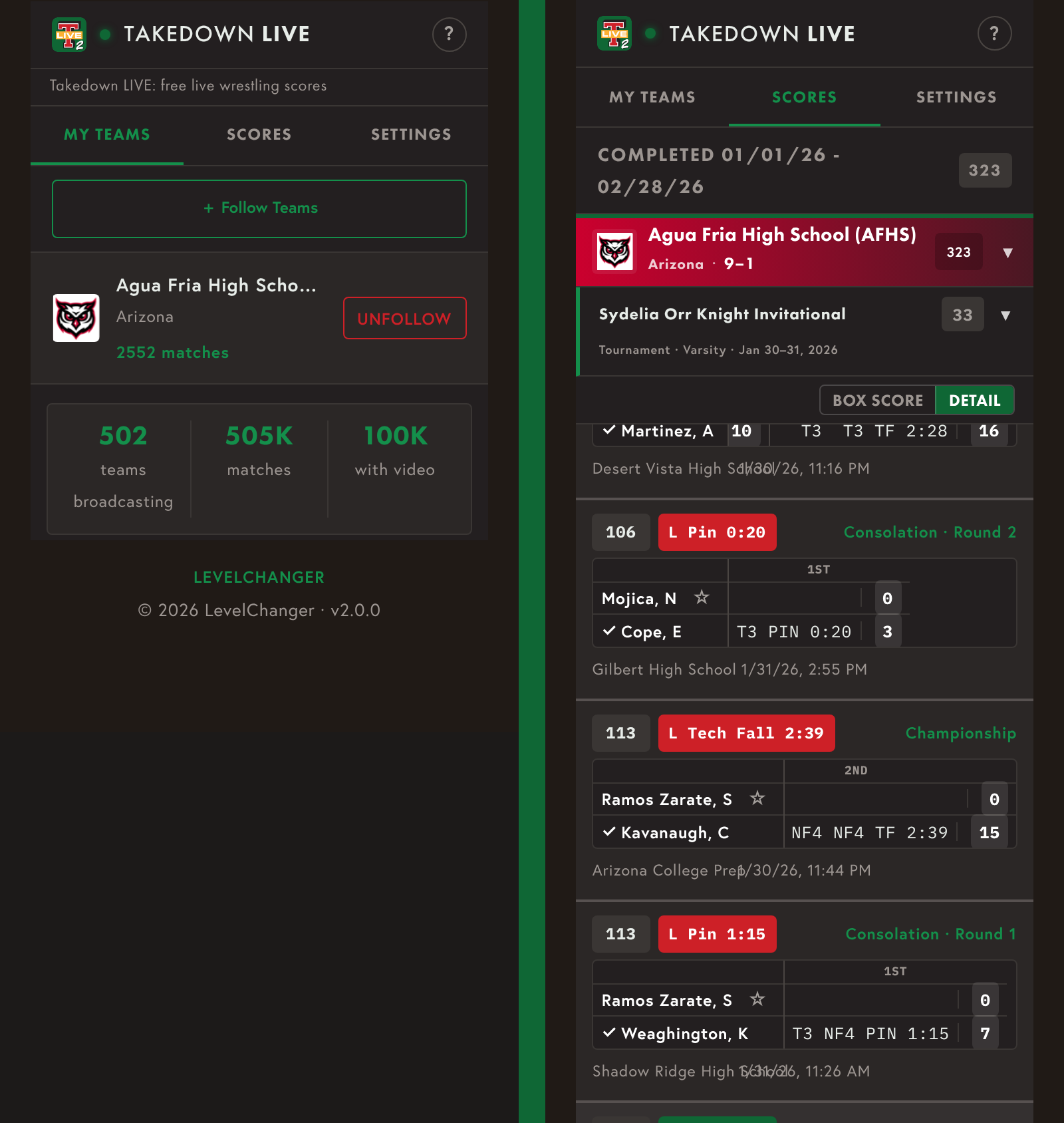
What fans see: your team under My Teams, and a tournament opened in Scores.
Turn on Broadcast
On the iPad, tap Settings > Takedown LIVE. If you see Start Using Takedown LIVE, tap it, then turn on Broadcast. Do this while the iPad is online; Broadcast can’t be turned on without a connection. From then on, every match you score is published as you score it.
Fans open Takedown LIVE, tap Follow Teams, search for your program and add it. Send them the link once; the Season calendar email is a good place for it.
How your team looks
Tap Edit Broadcast Info and set what fans see:
- Broadcast Name and Short Name, shown in the My Teams and Scores tabs.
- Team Logo: tap Edit, then Use My Team Logo or Choose Logo from Photos. Until you add one, fans see the Takedown LIVE icon in your team’s place.
- Team Color, the background behind your name. Add the logo first; the color can’t be set without one.
Change these any time, but keep them consistent so fans can find you.
Two details that make tournaments readable
In a dual meet, every match already has its weight class. In a tournament, two things appear only if you enter them:
- Weight class. Without one, the match shows “---” where the weight belongs. Open the Event, tap Weigh In and give each wrestler a weight, or tap Use MWC for Weight; the weight class fills in and the matches update. A weigh-in isn’t required to assign a weight class.
- Bracket and round. Takedown LIVE shows them side by side, for example “Championship · Semifinal.” Set both in the Scoring screen header, or ahead of time in Pairings. If one is missed, fix it afterward in the saved match.
During the event
The Takedown LIVE icon in the Scoring header shows the state: a green border means results are going out, a red border means they are waiting. If the gym’s internet drops, keep scoring; Takedown sends the backlog when the connection returns. Many school networks block the traffic, so a phone hotspot is the surest connection, and Takedown LIVE uses very little data.
Fans see each bout under Live while it is being scored, with the period, clock and running score. When it ends it is marked Final, then moves to the completed list, where the full scoring detail stays for the season.
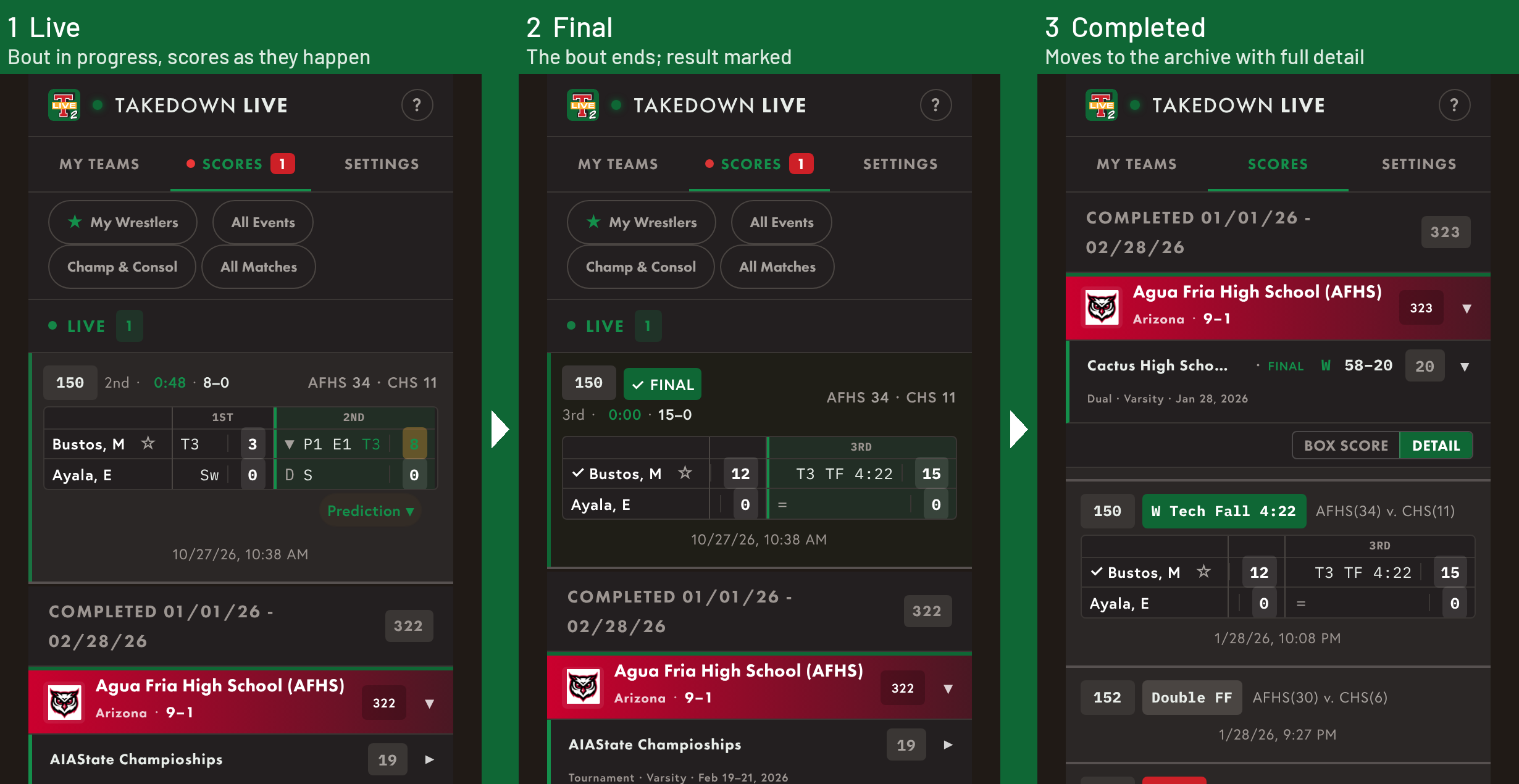
A bout while it is being scored, at the final whistle, and in the completed list.
Forgot to turn on Broadcast?
Nothing is lost. Open the Event and tap Publish Matches to Takedown LIVE; every match in it goes out, with the same scoring detail as if it had been broadcast live. For a single match, open the Event, tap Matches, the match, then Publish to Takedown LIVE.
Video
Publishing a match sends the scoring, not the video. Video is added and removed in the Event’s Manage Video: once the video is on YouTube, tap Publish All and fans tap the play symbol on the match to watch; Unpublish All takes it down. A match’s video can be published only if the match itself is on Takedown LIVE.
Taking something down
Open the Event and tap Remove Matches from Takedown LIVE to pull a whole Event, or open one match and tap Remove from Takedown LIVE.
Step-by-step instructions are in the help center: Broadcasting to Takedown LIVE and Takedown LIVE: Free Live Scores and Video for Fans.