
Time saver
At most schools, keeping the wrestling page on the athletic website up to date falls to the coach. It takes time the season doesn’t have, in a site editor that wasn’t built for match results, and it usually doesn’t get done: in our audit of school athletic websites nationwide, roughly 70% had no wrestling results posted.
Takedown LIVE for Websites puts your results there for you. Get your embed code once, hand it to whoever edits the school website, and every match you score in Takedown appears on your team’s page: live while it is being scored, then in the season results.
What you do
- Open Takedown LIVE for Websites and sign in with the email and password you use in the Takedown app.
- Pick a size and copy the code, or copy the link.
- Send it to your website editor to paste into the wrestling page.
That is the whole job. There is nothing to update after that. Score your matches in Takedown as you already do, and the website keeps itself current.
What it looks like on a school site
The school’s website keeps its own design and content. The embed is one scoreboard on the page.
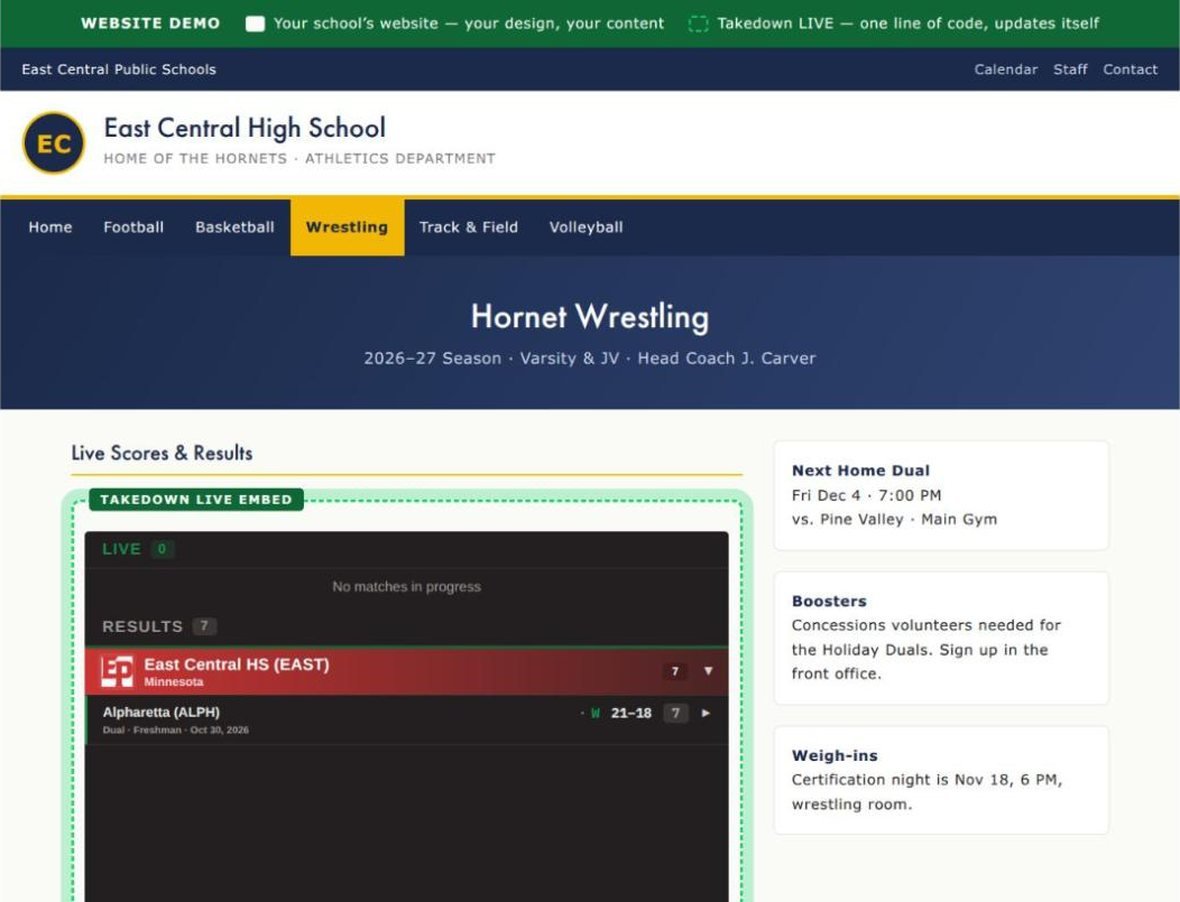
See the example school website.
What visitors see
- Live: matches in progress, with the scoreboard, period clock and scoring notation.
- Results: this season’s duals and events. Tap a dual to see it bout by bout.
- Your team logo and name at the top. Visitors don’t sign in, and there is nothing to install.

For your website editor
The code works in Squarespace, Wix, WordPress and any site editor with a code or embed block. On Google Sites, use the link instead: Insert > Embed > By URL. The embed fills the width of the space it is placed in, and there are three heights: Compact (420 px) for a sidebar, Standard (700 px) for most pages, and Tall (1000 px) for a dedicated results page.
Before you start
Your team needs Takedown LIVE turned on in the app: Settings > Takedown LIVE > Start Using Takedown LIVE. The embed shows the current season, September 1 to August 31, and is free with Takedown.